
The global filter in our new SmartBar dashboard is now located in the upper-left area of the home page.
Note: The layout and behavior of filters will be further refined and updated by the end of Q1 2026. At final release, all filters will function as expected and be organized more intuitively.
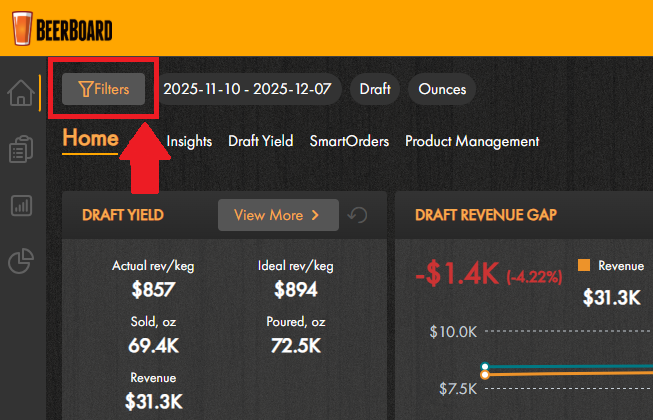
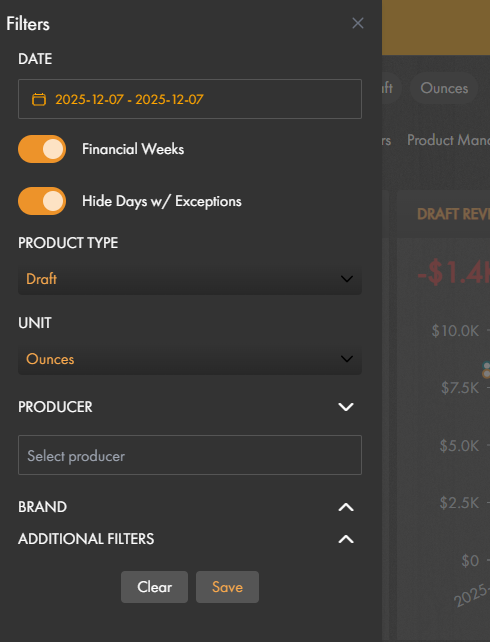
- Click "Filters" to expand the menu
- Filter by:
- Date: select the date range to view data
- Financial Weeks
- "Financial Week" = Monday through Sunday
- Toggle ON to see previous 4 financial weeks
- Toggle OFF to see exact dates set in date range filter
- Hide Days w/ Exceptions
- Product Type: Draft, Package, Wine, Liquor
- Units: Ounces, Units, Kegs, Liters
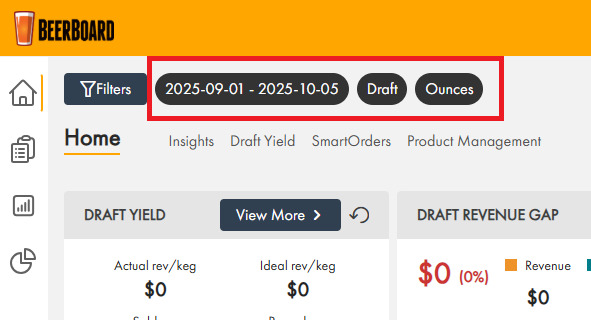
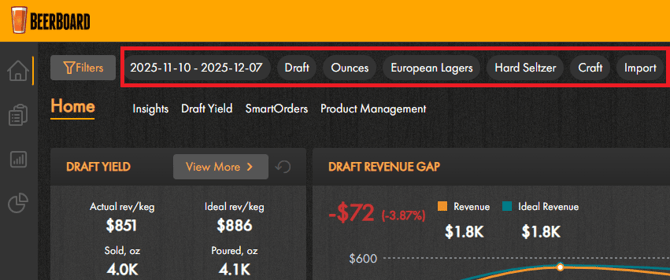
- Saved filters will be pinned at the top of the home page, making it easier to confirm which filters are applied without reopening the filter menu.
New account selector at the top
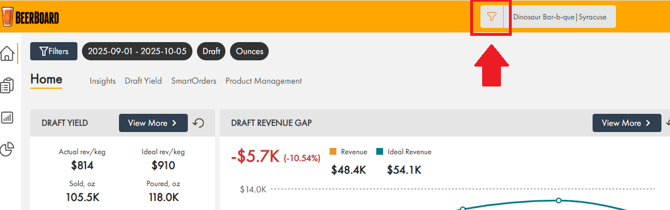
- If there are multiple bars, bars dropdown will appear
- If there are no bars, dropdown will be hidden
- Bar filter will influence the home page by end of Q1 2026